









The whole database, in one tab
The console is built into the engine and opens by itself after setup at https://localhost:8080. Your browser warns about the self-signed certificate the first time; accept it once, or give FoxByte a real certificate with FOX_TLS_CERT and FOX_TLS_KEY.
What is inside
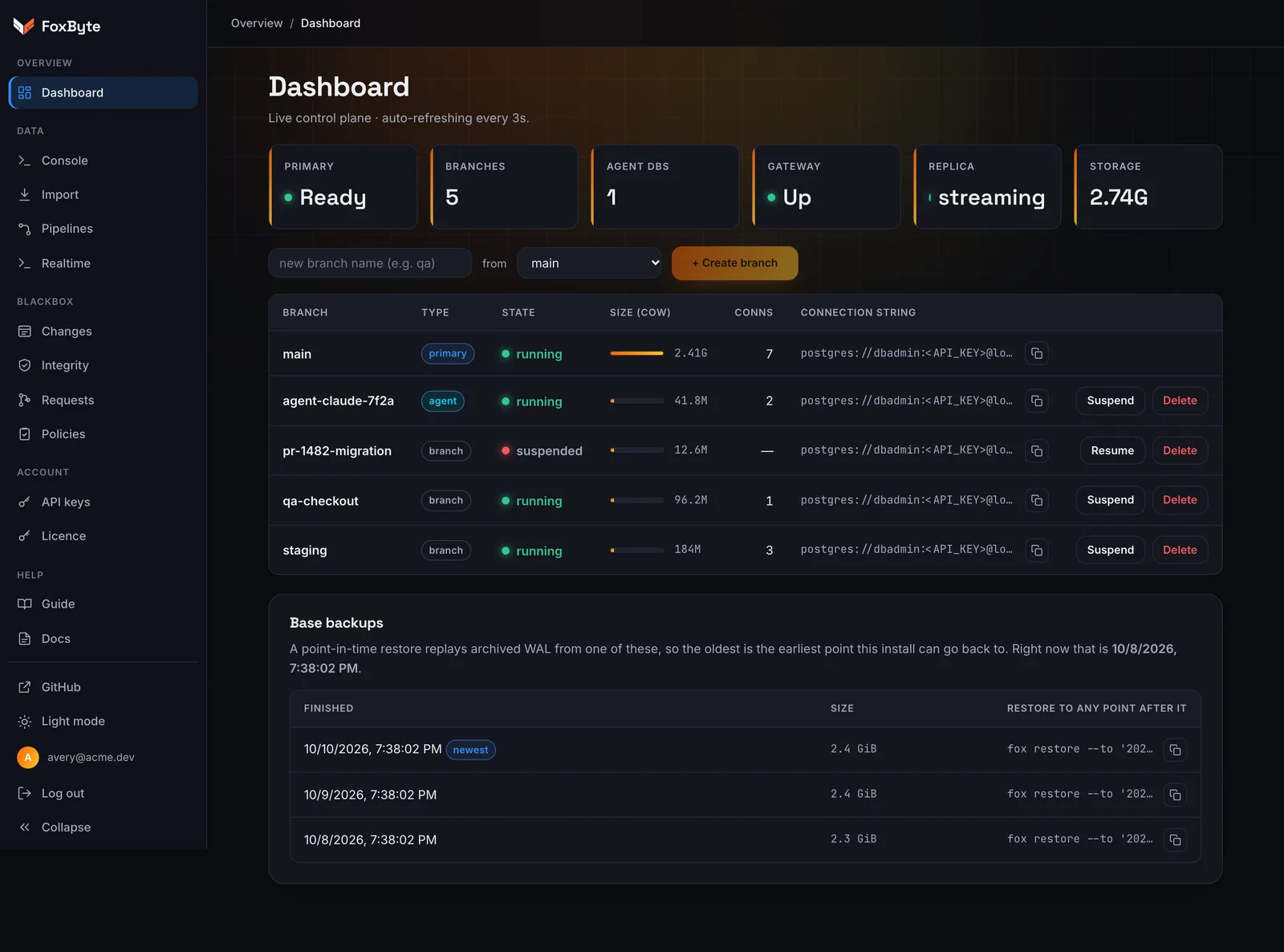
Dashboard
Every branch with its state, size and connection string; create, suspend, resume and delete.
SQL console
Run queries against any branch with autocomplete, history and rows you can expand as JSON.
Data grid and schema
Browse tables, structure and indexes, and copy a table’s CREATE script.
Blackbox and requests
Filter changes by actor, table, risk and kind; branch from before any entry; review change requests.
Import and pipelines
Bring data in from another database or a file, and run pipelines.
API keys
Make keys for people and for AI agents, and revoke them in one click.
Export in the format you need
CSV, TSV, JSON, Markdown, INSERT statements and Excel workbooks, from the console or the CLI. Query history is kept for 90 days, never the results.
$ fox sql --format csv "SELECT …" > out.csv
$ fox sql --format xlsx "SELECT …" > out.xlsx
$ fox export "SELECT …" > all.csv
$ fox history --search orders
Open the console in minutes.
It ships inside the engine and opens by itself when setup finishes.
$ curl -fsSL https://get.thefoxbyte.com/install.sh | sh